
Resetting your Apollo's Astrology password
Last updated OperationalVisit site
Note: The screenshots and interface shown in this guide may differ from what you see, as the application is actively developed and the UI may change with new features or fixes.
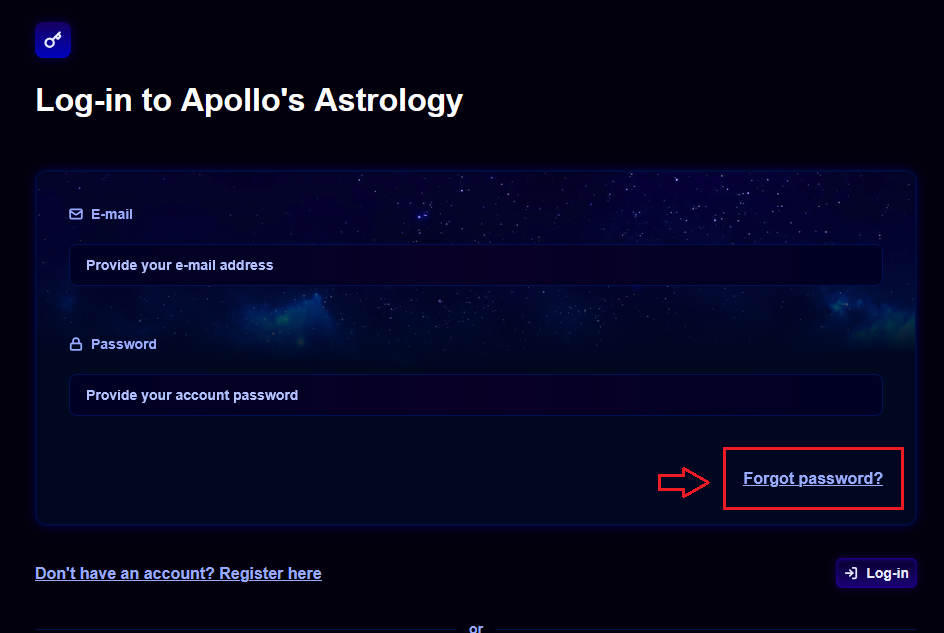
Step 1: Navigate to the login page
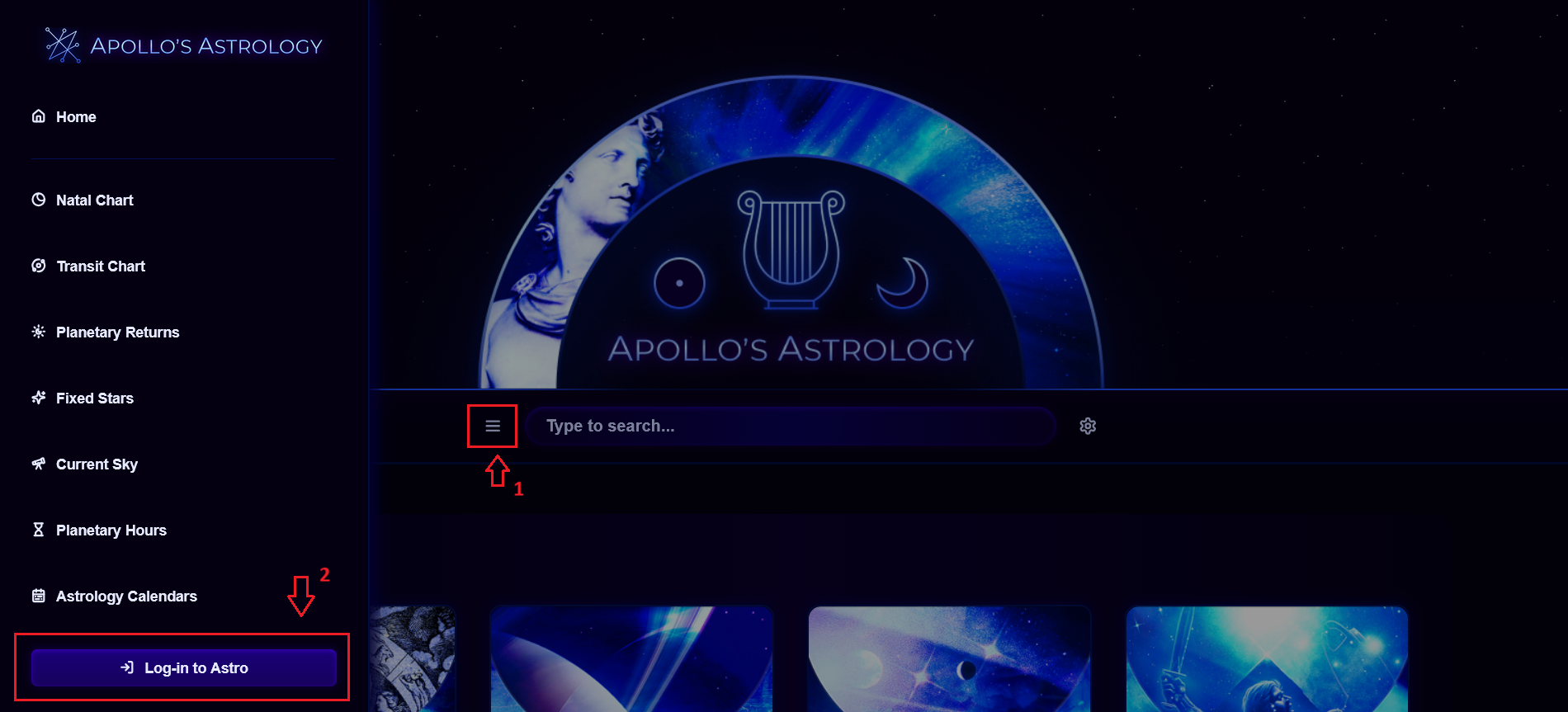
From the home page, open the sidebar by clicking the hamburger menu (≡) in the search bar at the top of the main content area, then click the Log-in to Astro button in the bottom-left of the sidebar.
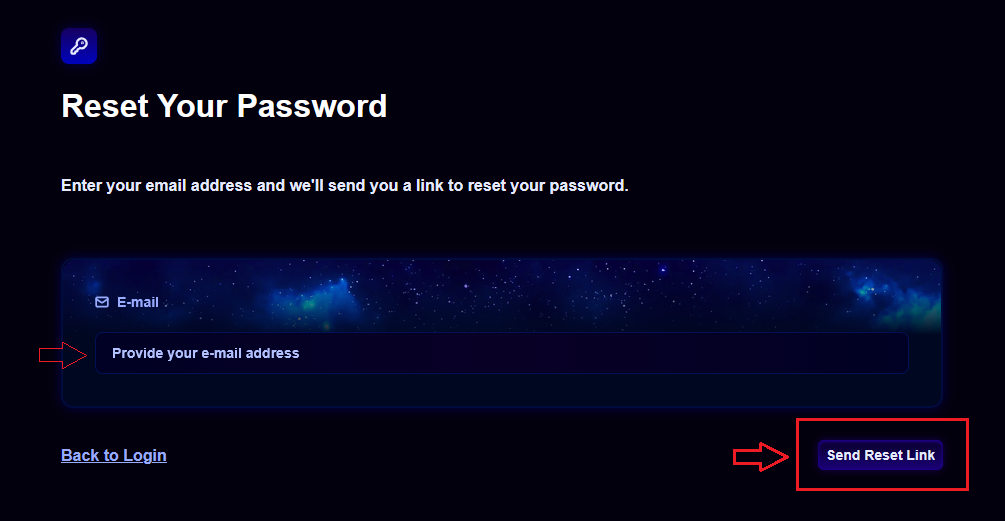
Step 2: Access the Forgot Password page
On the page, click the link inside the login form.
Related articles
Was this article helpful?
Still need help?
If you still have questions, our team is happy to help.